The following are the direct steps for installing tomcat 6 under Ubuntu and get started using it:
open a terminal and write the following commands while you are a root ( su ).
NOTE: Do not forget to restart the service after each change to get the effects applied.
Installation
apt-get install tomcat6 tomcat6-admin tomcat6-common tomcat6-user tomcat6-docs tomcat6-examples
The previous command installs the necessary files and libraries to run tomcat.
To insure the server has been installed, write the following in your browser:
localhost:8080 (this port can be seen and changed. look at section changing port number to know the step. )
You will get a message indicates every thing is ok. I recommend you to read it carefully, It gives you the next steps to start.
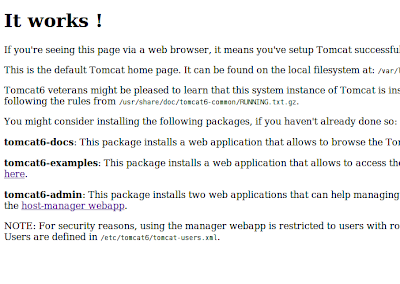
As you will read you will mostly need to do the following steps:
Add user with a manager role to be able to use the web administration tool. To do this you will need to edit /etc/tomcat6/tomcat-user.xml file
Add the following under the

Common Used Commands:
Also There is some commands you will need frequently to start, stop, restart the service:
sudo /etc/init.d/tomcat6 start
sudo /etc/init.d/tomcat6 stop
sudo /etc/init.d/tomcat6 restart
sudo /etc/init.d/tomcat6 status
Changing Port Number
if you are running multiple web services, you may be in need to change the tomcat port (default 8080) to another UN-USED port number.
This can be done by editing the /etc/tomcat6/server.xml
Search for the following :
connectionTimeout="20000"
URIEncoding="UTF-8"
redirectPort="8443" />
change the 8080 to any number you want.
Running your web applications:
your applications should be placed in /var/lib/tomcat6/webapps/
to be recognized and run though web browser. After that, you can access it directly from your web browser
http://localhost:8080/MyWebAppName
I guess this all what you need to get started.
Good luck.
Mohammed Saudi
msaudi.blogspot.com

