Wednesday, November 4, 2009

7 Best Free DVD, CD Burning Software

source:http://www.dkszone.net/2009/08/6-best-free-dvd-cd-burning-software.html

1. ImgBurn
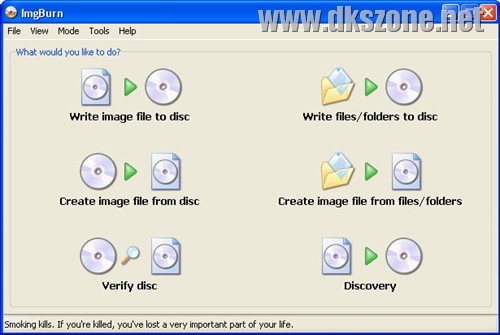
ImgBurn free cd dvd burner

ImgBurn is one of the popular and good free DVD/CD burning software. It can burn CD, DVD, HD DVD, and Blu-ray. It supports a wide range of image file formats like BIN, CUE, DI, DVD, GI, IMG, ISO, MDS, NRG and PDI. ImgBurn can burn Audio CD's from any file type supported via DirectShow / ACM - including AAC, APE, FLAC, M4A, MP3, MP4, MPC, OGG, PCM, WAV, WMA and WV. It can also burn DVD Video (VIDEO_TS), HD DVD Video (HVDVD_TS) and Blueray Video (BDAV / BDMV) Discs.

Download ImgBurn free cd dvd burner

2. CDBurnerXP

CDBurnerXP free burning software

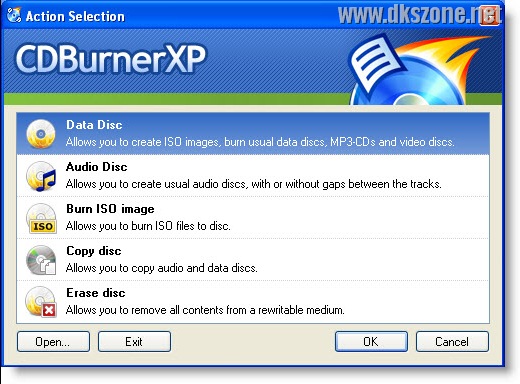
CDBurnerXP is a good free DVD/CD Burning Software. It’s a good alternative to expensive DVD Burning software like Nero or Sonic. CDBurnerXP can burn any data on CD-R/CD-RW/DVD+R/DVD-R/DVD+RW/DVD-RW/DVD-RAM/BD/HD-DVD, including double layer discs. Using it, you can create Audio-CDs from mp3, wav, ogg, flac and wma files. It includes disc-at-once-mode i.e. gapless audio CD support. CDBurnerXP also supports creating bootable discs. You can copy data discs and also perform erase disc functions. After the burning is complete, CDBurnerXP can verify written data on disc for burning errors if any. You can also burn ISO files to CD, create your own ISO files, convert bin- and nrg-files to ISO and also save CDs/DVDs as ISO file to disc. Apart from all these features, CDBurnerXP also supports cover printing feature for data and audio discs. It also integrates with LightScribe.

Download CDBurnerXP free burning software

3. InfraRecorder

Infrarecorder free cd dvd burning program

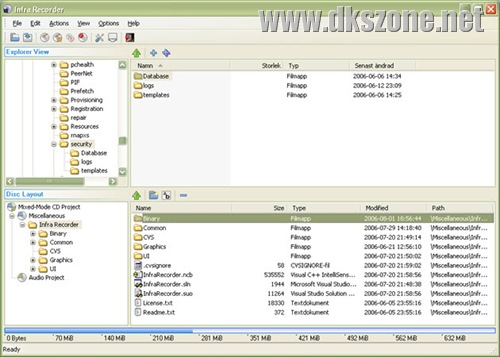
InfraRecorder is one more widely used alternative to expensive burning suites like Nero. Infra Recorder can burn CD, DVD, Dual Layer DVDs and also supports various audio formats. The audio and data tracks includes .wav, .wma, .ogg, .mp3 and .iso formats. It can erase rewritable discs. Infra Recorder can also burn images in ISO and BIN/CUE formats.It supports multisession writing of discs.

Download Infrarecorder free cd dvd burning program

4. FinalBurner Free Edition

Final Burner free editionFinalBurner is one more top free burning software. It can create data, audio and video discs. It can burn CD R/RW, DVD+R/RW, DVD-R/RW, and DVD DL. It can also rip Audio CD in .wav, .mp3, .ogg, .mid, .wma, .aac, .mp4, .m4a, .xm, .mod, .s3m, .it, .mtm, .mo3 audio files. FinalBuner can burn Video DVD with formats AVI, DIVX, XVID, MP4, MPG, WMV, ASF, MOV, FLV, etc. FinalBurner can also create an ISO image of a disc.

download final burner free edition

5. Your Free DVD Burner

Your Free DVD Burner

Your Free DVD Burner is a good one which isn’t much popular. It has some powerful features which is the reason it makes into this list. It can create data DVDs and CDs. It also supports DVD Video. Your Free DVD Burner allows you to create multisession CDs. You can create Bootable CD/DVD discs. It can burn ISO images onto disc.It supports CD-R, CD-RW, DVD-R, DVD-RW, DVD-RAM, DVD+R, DVD+RW and DVD+R disc formats. Rewritable CDs and DVDs can be erased.

Download Your Free DVD Burner

6. Create-Burn ISO Image

Free Create-Burn ISO Image

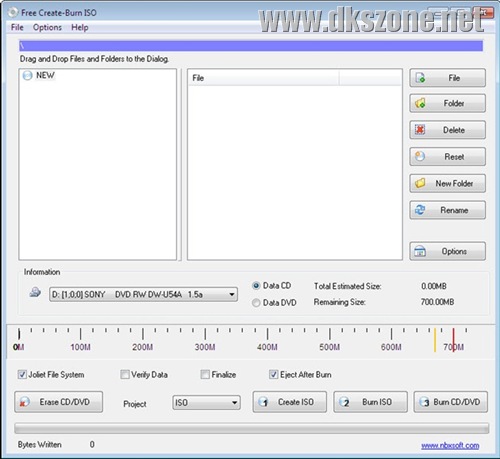
Free Create-Burn ISO a good free CD/DVD burner. It can burn CD-R, CD-RW, DVD+R/RW, and DVD-R/RW discs. It can also create ISO image for burning CD/DVD. Burn ISO image can also create bootableCDs and DVDs. After burning the disc, Burn ISO Image can verify written data for finding any writing errors. It can erase re-writable CDs and DVDs. It supports Joiet File System, ISO, UDF& ISO/UDF project.

Download FreeCreateBurnISO

UPDATE

We asked our readers to suggest other good CD/DVD burning software. All such tools are included here:

7. StarBurn Free
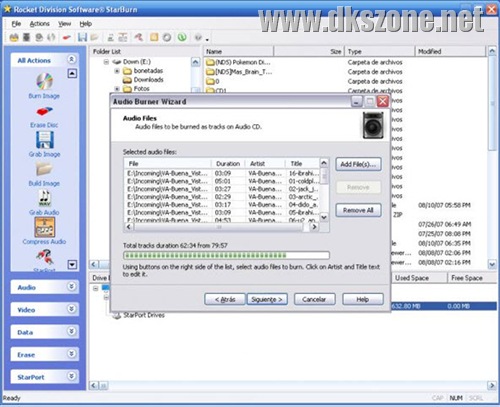
StarBurn Free CD DVD Burner

StarBurn Free is a powerful CD/DVD authoring tool from RocketDivision. It supports a wide array of hardware like CD, DVD, Blu-Ray and HD-DVD. StarBurn has step-by-step wizards to do grabbing, copying and burning ofCDs and DVDs. Basic users will find it’s interface very easy to use.

It’s key features include extracting individual tracks from DVDs to store them as ISO image files on hard disk, taking backups of your favorite CD/DVD/Blu-Ray/HD-DVD in 1:1 mode, grabbing sound tracks from audio CDs to store them as WMA (Windows Media Audio) files, burning photos, documents etc.

Download StarBurn Free CD DVD Burner

Apart from the above list, Ashampoo’s Burning Studio 6 is also a good burning software which is feature rich and gives a wide array of burning features. The free version is released by the company many years ago, but still continues to be one ofthe popular free burning software. We didn’t include it in the above list as it’s free version is no more under further development. Worth a try.

Friday, October 9, 2009

How to choose a Microcontroller

article source: http://www.ehow.com/how_2319026_choose-microcontroller.html

There was a time when the microcontroller selection available was pretty much limited. Now there are so many available, it is a task to find the right one. Choosing a microcontroller depends on what you want to accomplish.When choosing a microcontroller, you have to ask yourself the right questions and research the different type of microcontrollers before making your choose.If you don't know what a microcontroller is or what it is used for, you may want to research it before trying to understand the information given in this article.

Answer
  • 1- Ask yourself what your needs are in terms of programmability and reprogrammability. This will help in determining memory requirements of the microcontroller.
  • 2- Decide what peripherals you will be using or wanting to use in the future.
  • 3- Decide on the physical packaging and the limitations that can be associated with it.
  • 4- Decide on memory aspects. More complexed systems will need more memory, and thus, bigger chips.
  • 5- Decide on the architecture of the system you are planning.
  • 6- Think about hardware and software tools that are manufactured with the microcontrollers compared to what you will be needing.
  • 7- Think about costs and what you have budgeted to spend on the microcontroller. Above anything, this will probably sway your decision on which one you will purchase if your are strictly restricted where costs are concerned.


After deciding on steps 1 to 7, choose an appropriate microcontroller. Some that you many want to research are the microchip, Atmel AVR, Intel 8051, Texas Instruments MSP 430, ARM, Cypress PSOC, Renesas H8, Zilog Z8, modules and hidden microcontrollers.
article source :http://www.ehow.com/how_2319026_choose-microcontroller.html

HARVARD ARCHITECTURE vs. VON NEUMANN

HARVARD ARCHITECTURE vs. VON NEUMANN

If you are new to Microcontrollers one of the arguments you are going to
hear bantered about is Harvard Architecture versus the Von Neumann
Architecture.


THE VON NEUMANN ARCHITECTURE

Most computers we are familiar with use an architecture called Von Neumann.
The term arose out of Neumann's 1945 draft report on the ADVAC computer. He
was not, however the original inventor of it.

A Von Neumann machine has one large monolithic RAM structure that contains
both program memory and data memory mixed together. Since both program steps
and data must be loaded from the same place, it can create a problem called
the Von Neumann Bottle-Neck.


THE HARVARD ARCHITECTURE

Most microcontrollers use a different system called Harvard architecture.
The larger program storage and the smaller data memory are separated. The
first such machine, the Harvard Mark I had it's programs hard-coded on
paper-tape and the volatile data was loaded into electric relays.


Harvard style machines allow program steps to be fetched at the same time as
data, thereby creating potentially faster through-put and less of a
bottle-neck. They also have the benefit that run away processes can't damage
the program stored in the non-volatile program area so they're more stable.
Many C programs lack proper boundary checking and a null pointer or an
over-run buffer can overwrite and crash a program that shares RAM with data.
If you are new to this architecture you need to keep this in mind. When
creating a routine that needs a few bytes of storage, I would normally
create that space within the routine itself. On a Harvard machine, those
bytes would not be in volatile RAM but part of the hard coded program memory
stored in ROM (or FlashRAM).

source :http://sci.tech-archive.net/Archive/sci.electronics.misc/2006-04/msg00057.html

Thursday, October 8, 2009

Friday, October 2, 2009

C++ IDEs --> The Most Popular Six IDEs For Developing Software in C/C++

This Article is not mine, The Source Here

Start:

For all the languages getting created these days, a decent IDE seems to be created even before the development of the language reaches the final stage ;) But even after being in the academics and in the industry for more than three decades, there isn’t one consistently released, active C++ IDE project for the Windows platforms. Some names that come to mind when thinking about C++ IDEs for Windows platform are: DevC++, MinGW Studio, Emacs, Microsoft Visual Studio, CodeBlocks, Eclipse etc. Except DevC++, I use all the other C++ IDEs fairly regularly even today whenever I get to work in Windows.

1. DevC++

DevC++ C++ Programming IDE Screenshot
DevC++ is one of the most popular C++ IDEs amongst the student community as I was able to see during my visits to a few C++ forums on the Internet - 8 out of 10 people on such forums stated that they use DevC++ IDE and whole-heartedly recommend it to the others. I have heard very few complaints from such DevC++ fans, which makes me wonder why I was never able to make myself to like this development tool, DevC++ always looked ugly and unintuitive to me. Most of the C++ programmers from the student community have exactly the opposite to say about it though and it is the first choice for those who want to develop Windows applications using SDL, wxWidgets or DirectX SDK. DevC++ IDE uses MinGW port of gcc as the compiler. It is also an actively developed product though the rate at which it is developed seems to be a bit low. I have read that it is now supported on gnu/linux platform too though I have never tried it myself outside of Windows platform.

More Information & Download

2. MinGW Studio

MinGW Studio C++ IDE Screenshot
MinGW Studio is my answer to all the DevC++ fans. I like the interface of the MinGW Studio IDE very much, and it loads fast and runs fast. MinGW Studio also uses MinGW port of gcc as the back-end compiler and has good integration with wxWidgets SDK. Both DevC++ and MinGW support slightly older versions of gcc, which forces the users to compile gcc from the source if they want to use a more later version of it. The biggest factor that goes against this IDE is that the development of MinGW Studio is almost like having stopped. It seems like ages since the last useful feature was added to this product, though it is still good enough for light-weight C++ development. I have used it on both Windows and GNU/Linux and it works the same way on both the platforms(though it remains a secret why someone would use it on GNU/Linux platform).

More Information
Download
Screenshots: Windows and GNU/Linux

3. GNU Emacs and XEmacs

Emacs-GTK.png
Using Emacs as an IDE for C++ development is only for those who already know how to use emacs; otherwise it entails considerable investment in learning how to use the emacs editor(the effort will more than get paid off in the end). People coming from *nix background feel right at home using emacs for C++ development, but it is not a natural choice for those who have only Windows background with them. Remember that the achievable productivity levels with the emacs editor(for development with standard C++, not platform specific extensions) is comparable to that of Visual Studio and Eclipse IDEs, if not higher. XEmacs is a variant of GNU Emacs that is very popular on Windows.

More Information: GNU Emacs & XEmacs
Download GNU Emacs
Download XEmacs

4. Microsoft Visual C++ 2005

Visual C++ 2005 Express Edition Screenshot
Microsoft has come a long way with its support for C++ Standard since the Visual C++ 6.0 version of its popular IDE. Visual Studio 2005/Visual C++ 2005 Express Edition support the C++ Standard as good as any other popular C++ compiler and allows, to a large extent, developing pure C++ applications without bothering with Windows specific extensions. The new versions of the IDE also support keyboard commands for most of the operations, which means the usage of the mouse can be minimized by those seeking to be productive. The cost of the IDE has also come down for those who need a basic C++ IDE with no extra support for Windows specific extensions - the Express Edition is totally free of cost and Microsoft claims that it will remain to be free forever.

Visual C++ 2005 Express Edition:
Feature Tour
Download

5. Eclipse for C++ with CDT

Eclipse for C++ IDE is becoming the #1 choice for the C++ programmers as the support for this language keeps on increasing with improvements in the CDT plugin. Eclipse can be used on GNU/Linux platform too; on Windows, one needs to have gcc already installed on the system(say, MingW gcc port). Then installing Eclipse along with CDT plugin will get you ready to go. The only glitch here is that the integration between the installed gcc package and Eclipse doesn’t go smoothly for everyone(in my observation). An integrated package of [gcc port + Eclipse + CDT] should be very helpful in this case. Programmers need to write their own build scripts(eg. Makefile) to build the C++ programs in Eclipse for C++. In the long term, Eclipse for C++ should become increasingly appealing for C++ development on Windows.

More Information
Download EasyEclipse for C++

6. Code::Blocks

Code::Blocks C++ IDE Screenshot
My first choice for a light-weight C++ development environment has changed from MinGW Studio to Code::Blocks IDE in the last year. Like MinGW Studio, Code::Blocks IDE also loads and runs at good speed, uses MinGW as back-end compiler and its interface is also to my liking. Where Code::Blocks scores over MinGW Studio is the amount of development that is taking for this product: new code is added almost on a daily basis. Code::Blocks can also be used under GNU/Linux operating system.

More Information
Download
Screenshots

There are other excellent editors available that allow developing software in C++ language - like SciTE, notepad2, notepad++ etc. - but none of them support direct support to build the entire application from one place. Drop in a word if you have some other development environment for developing C++ applications that is not listed here as your favourite one under the Windows operating system.


Comments:
  1. NetBeans with C/C++ pack (Runs on Windows, MacOS, Linux, Solaris):

    http://www.netbeans.org/products/cplusplus/

    Screenshot: http://www.netbeans.org/images/v5/product-pages/nb-cc.png

    Quote

    Comment by Jose — January 2, 2007 @ 11:33 pm

  2. Thanks for reminding me about the C++ support added recently to the NetBeans IDE. I will try to make a separate post on development with C++ language using the NetBeans IDE.

    Quote

    Comment by tabrez — January 3, 2007 @ 8:53 pm

  3. Borland Developer Studio 2006 and Turbo C++ (2006) are also viable alternatives

    see http://www.codegear.com/

    Quote

    Comment by Delphite — January 4, 2007 @ 2:43 pm

  4. And soon my favourite IDE - KDevelop - will also be available not only on Linux but also on Mac OS X and Windows.
    http://www.kdevelop.org/

    Quote

    Comment by Tsiolkovsky — September 19, 2007 @ 7:47 pm

  5. A port of KDevelop to the Windows and Mac OS will be very helpful in developing Qt based applications on these platforms. But I have never been a big fan of KDevelop even on GNU/Linux for writing non-QT C++ code. Instead of trying to make the life of C++ programmers more and more easy(e.g. better integration with build tools), the KDevelop developers keep working on new language extensions. Who would want to do serious Java development in KDevelop and MonoDevelop? After the success of Eclipse, everybody now wants to support every language created on the planet: Netbeans, IntelliJ IDEA, KDevelop - you name it.

    Quote

    Artice Source Here

Monday, August 17, 2009

CSys Electronics Recommended Books

Salam 3lykom w ra7mat Allah,

If you are interested in hardware and want to work in the hardware or embedded systems field, you have to study electronics well.C and C++ is a must,
and you may also Study JAVA to be qulaified for work positions related to CSYS dept.

Recommended Books to help you in Studying Electronics:

Book1: Electronics Fundamentals, Floyd

Book2: Electronic Devices , Floyd

CLick on the Book name and in the page Click TOC in the upper left corner for the content.

other useful web pages in this post

see this Ad:


In shaa Allah I will post the useful things related to CSys department in this blog in non-regular basis.